SIGINT Dashboard™
Real-Time OSINT, Organized
SIGINT combines aircraft, vessel, earthquake, fire, weather, cyclone, event, and news feeds in one interface. Review the project demo or run the community edition on your own server.
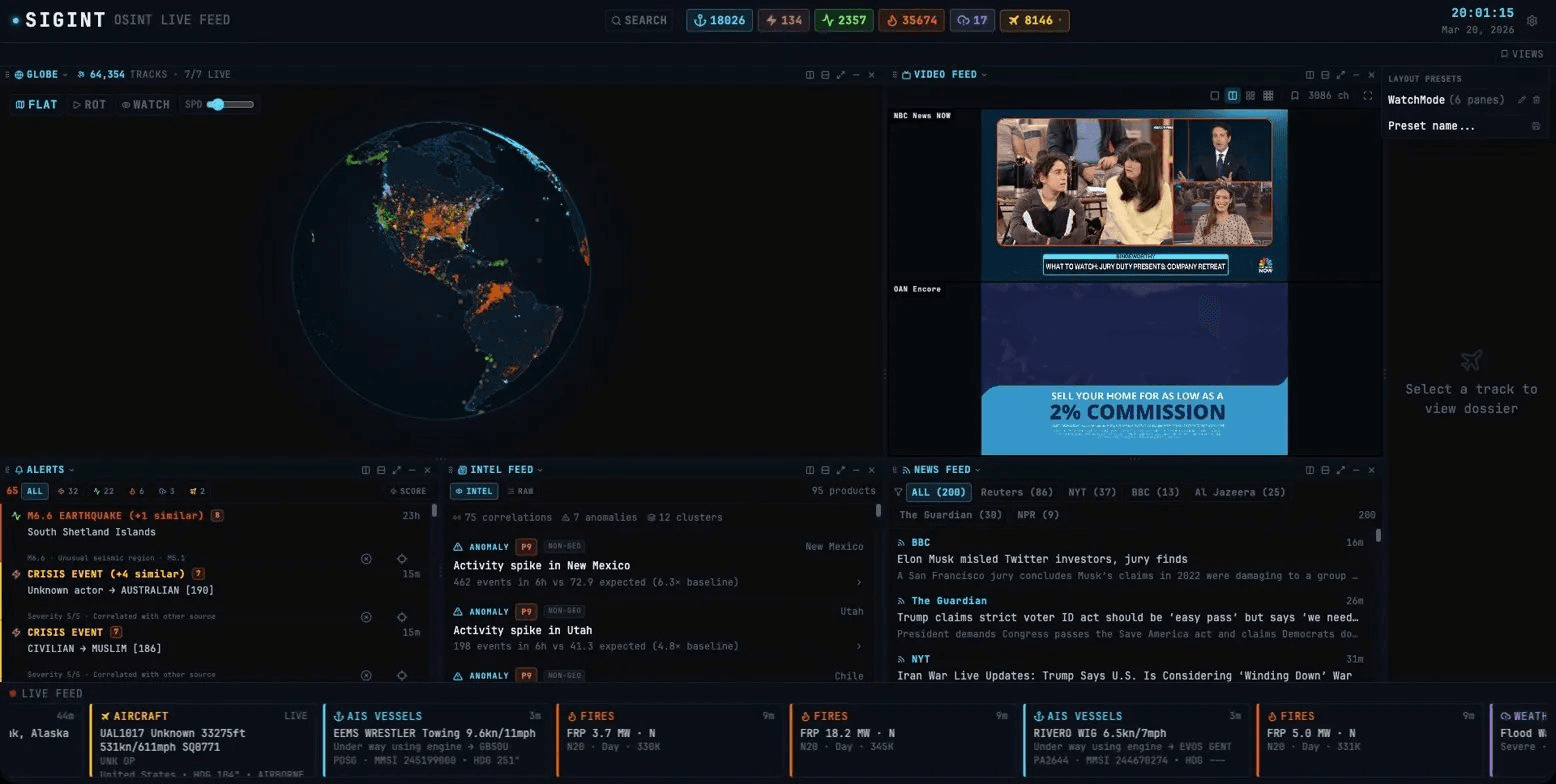
Eight Data Feeds. One Workspace.
The dashboard organizes aircraft, vessel, earthquake, fire, weather, cyclone, event, and news data in one workspace. Source availability depends on upstream services and configuration.
Aircraft Tracking
FEEDServer-proxied aircraft positions from adsb.fi, enriched with callsign, altitude, speed, heading, squawk code, aircraft details, and heuristic military classification.
AIS Vessel Tracking
FEEDAIS vessel positions from aisstream.io, including MMSI, IMO, vessel type, flag, destination, and navigation status when available.
Seismic Monitoring
USGS earthquake data from the past seven days, including magnitude, depth, tsunami status, and felt reports.
Fire Detection
NASA FIRMS VIIRS fire hotspots with location, brightness, radiative power, and confidence data.
Conflict and Crisis Events
GDELT 2.0 geolocated events covering conflict, protests, diplomacy, and other public activity in a rolling seven-day window.
Severe Weather Alerts
Active U.S. severe weather alerts from the National Weather Service, including severity, affected area, and start and end times.
Tropical Cyclone Tracking
Active Atlantic, Eastern Pacific, and Central Pacific storms from the National Hurricane Center, with position, classification, wind, forecast track, cone, and advisory text.
World News Aggregation
Six RSS news feeds place current reporting beside the geospatial data, alerts, and intelligence products.
From Raw Feeds to a Working View
Use the globe, tables, dossiers, alerts, news, and video panes together. Correlation and scoring tools add context without hiding the underlying source data.
Interactive Globe and Flat Map
Switch between globe and flat-map projections, inspect recorded trails, and move from a global view to individual tracked items.
Correlation Engine
Compares events across time and location to create correlation products and context-scored alerts.
Anomaly Detection
Maintains seven-day regional baselines and raises context scores when current activity differs from recent patterns.
Multi-Pane Layout
Split, resize, move, minimize, and save layouts for the globe, data table, dossier, intelligence feed, alerts, video, news, and console.
Live Video Monitoring
Play HLS news streams from the iptv-org directory in grids up to 3 by 3, with saved channel presets.
Watch Mode
Cycle automatically through scored alerts or intelligence products while the related panes stay synchronized.
Entity Dossier
Open a tracked item to review available identity, route, telemetry, event details, images, and external source links.
Alert Scoring
Alerts receive a 1 to 10 composite score based on rule severity, regional context, correlations, and classification.
Protected API Routes
Server-backed data routes use HMAC-signed tokens in HttpOnly cookies and per-client rate limiting. Security headers apply to every response.
See the Workspace in Use
These screenshots show captured project sessions. Counts and source availability vary by session.
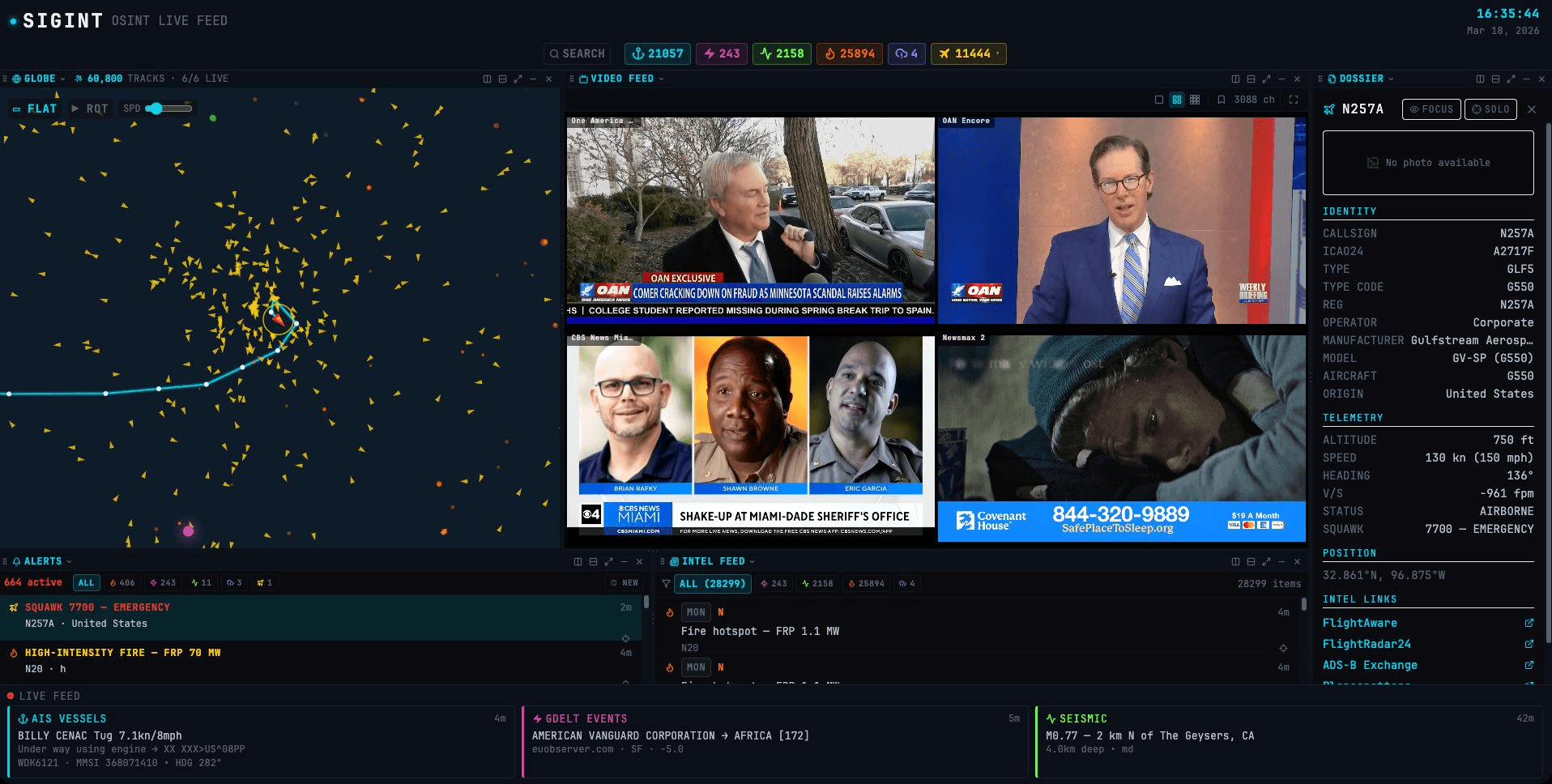
Emergency Squawk Alert
This captured session shows a 7700 emergency squawk. The dashboard scores the alert, draws the recorded trail, and opens available identity, telemetry, route, and source links beside the video pane.
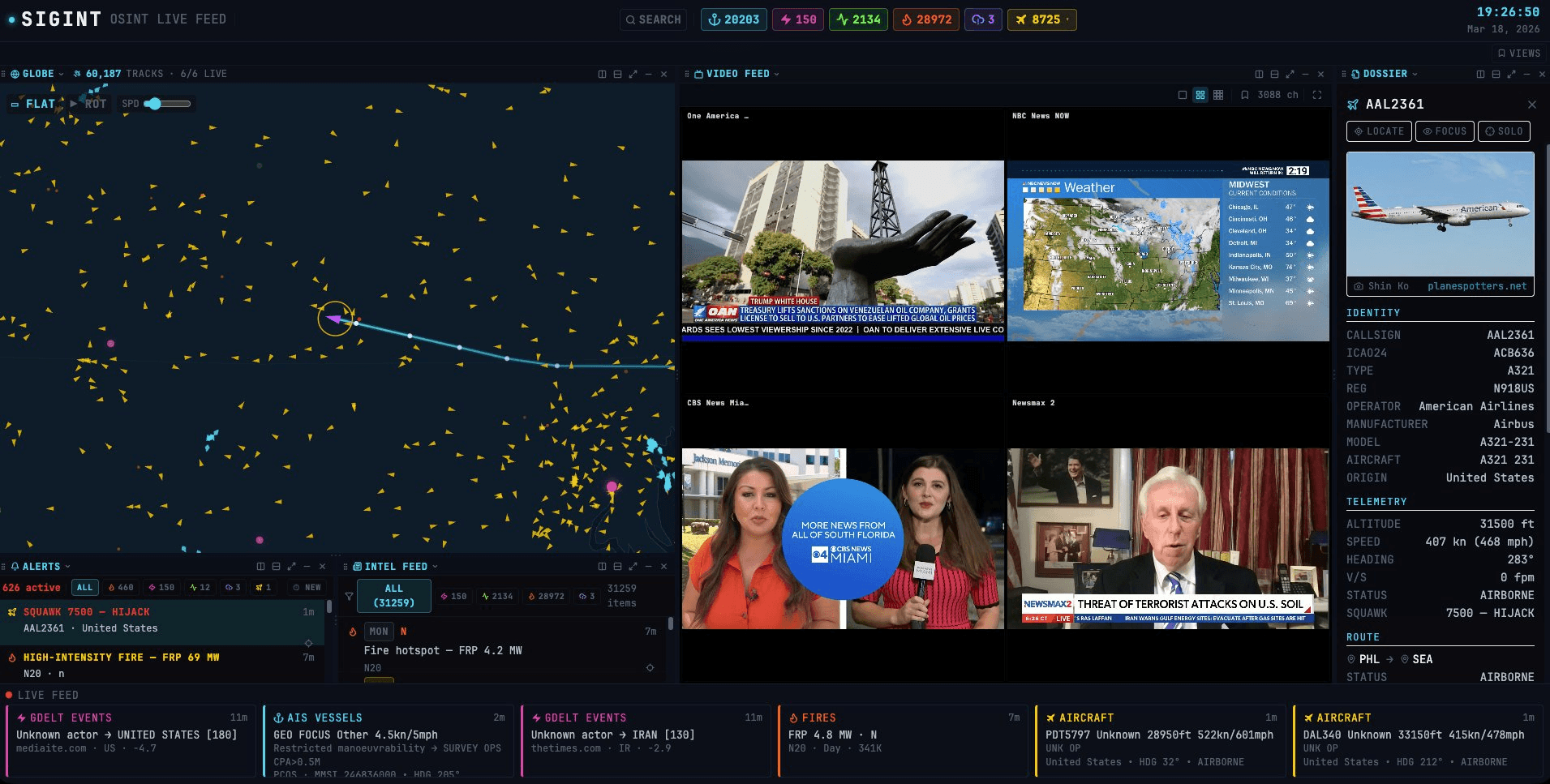
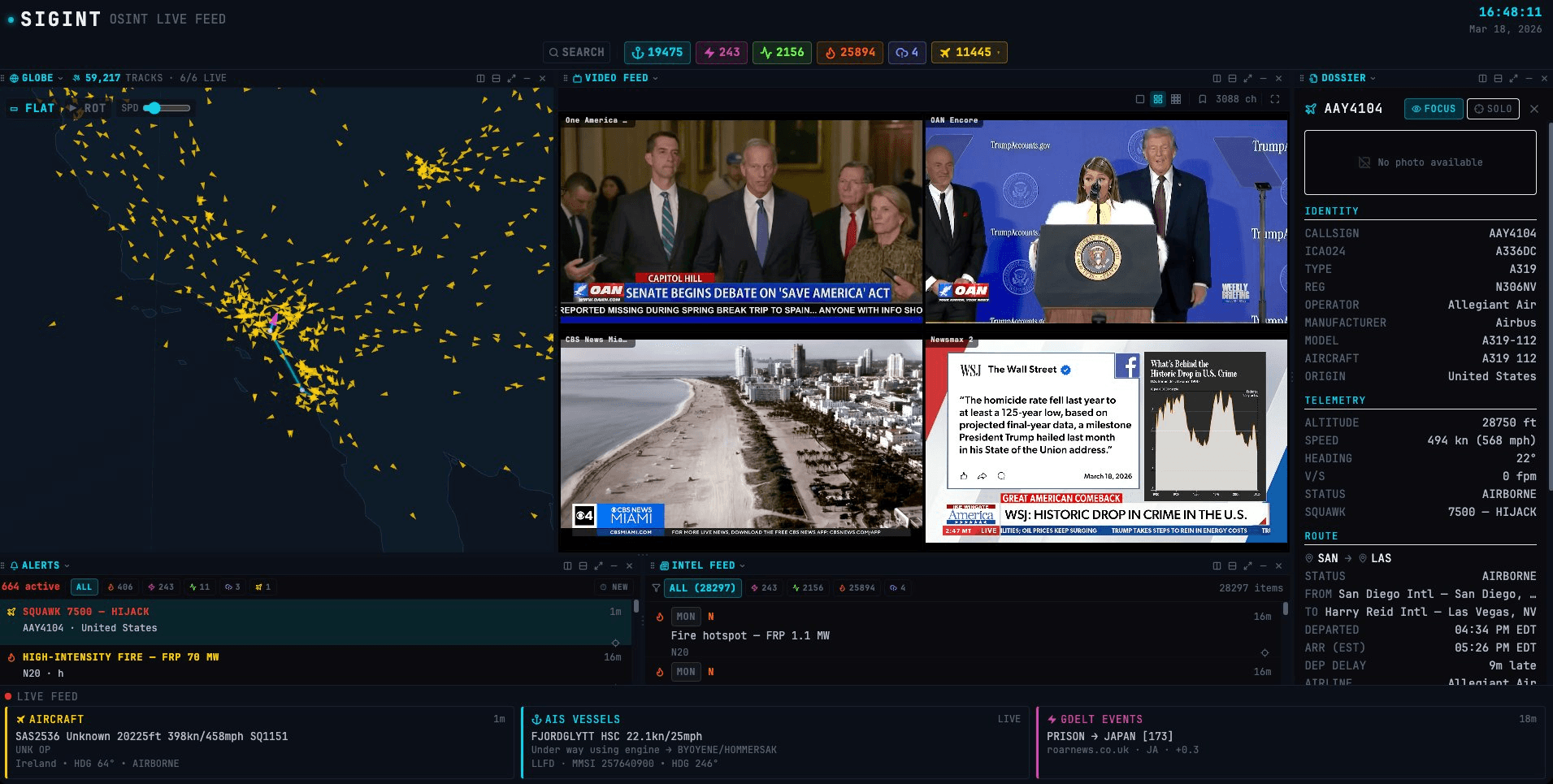
Squawk 7500 Trail and Dossier
This session shows a 7500 squawk with recorded positions, interpolated waypoints, aircraft details, route data when available, and locate, focus, and isolation controls.
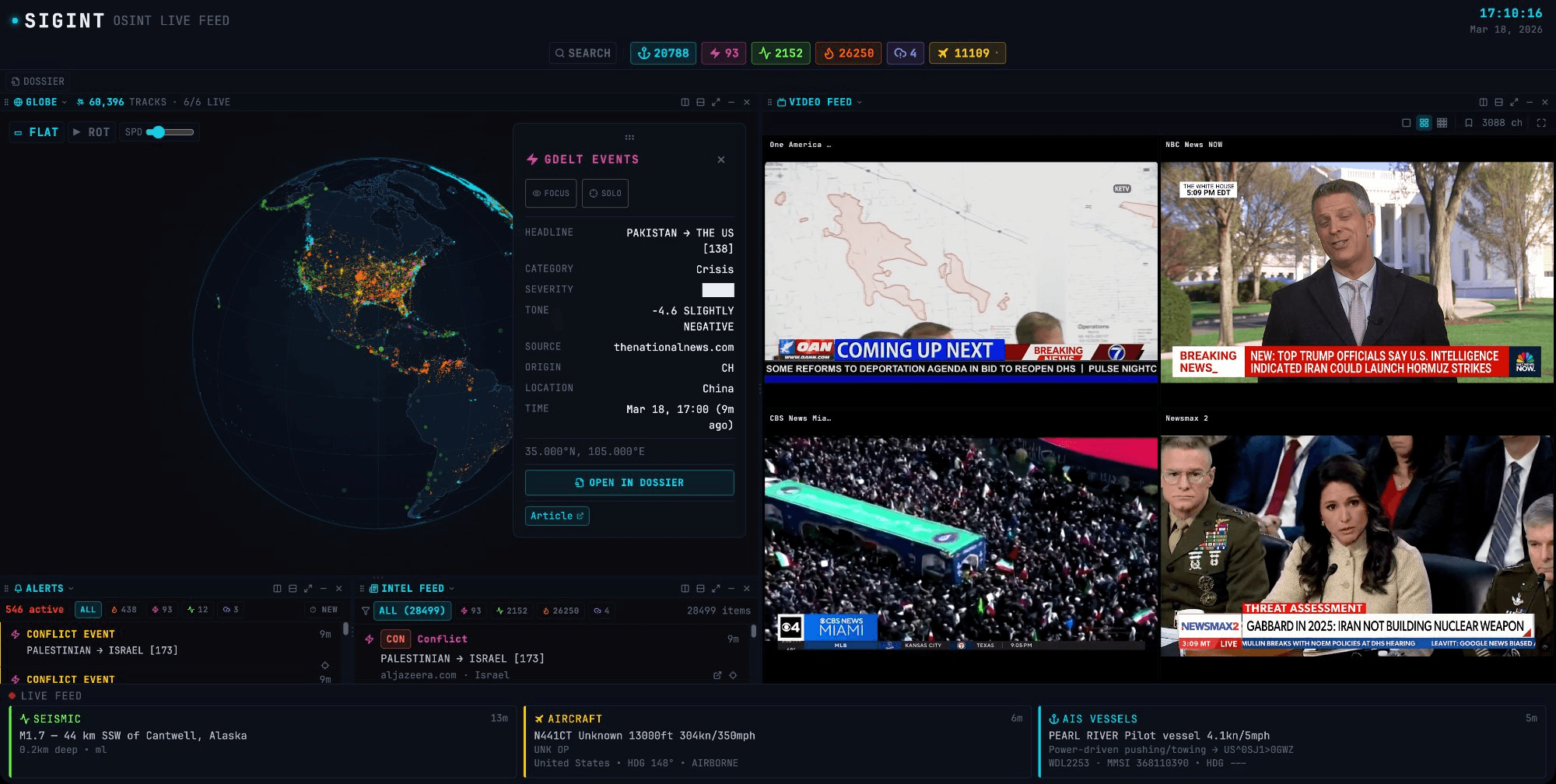
Geospatial Events in Context
A selected GDELT event appears beside the globe, active alerts, correlated items, news, and video panes. The layout keeps the source event visible while related context is reviewed.
Aircraft Details in One Pane
The dossier combines callsign, ICAO address, aircraft type, registration, operator, available route information, current telemetry, and links to external aircraft sources.
Designed for Self-Hosting
Canvas drawing runs in a Web Worker so mapping work stays off the main interface thread.
One Bun process serves the interface and the server-backed data routes.
The PWA can open its cached shell and stored data offline. Live feeds still require a connection.
Run the community edition on your own infrastructure with your own API keys and environment.
Explore the SIGINT Project
Review the demo, browse the source and documentation, or join the project update list. Demo and data-source availability may vary during development.
Protected by reCAPTCHA.